Expandable Parametric EQ
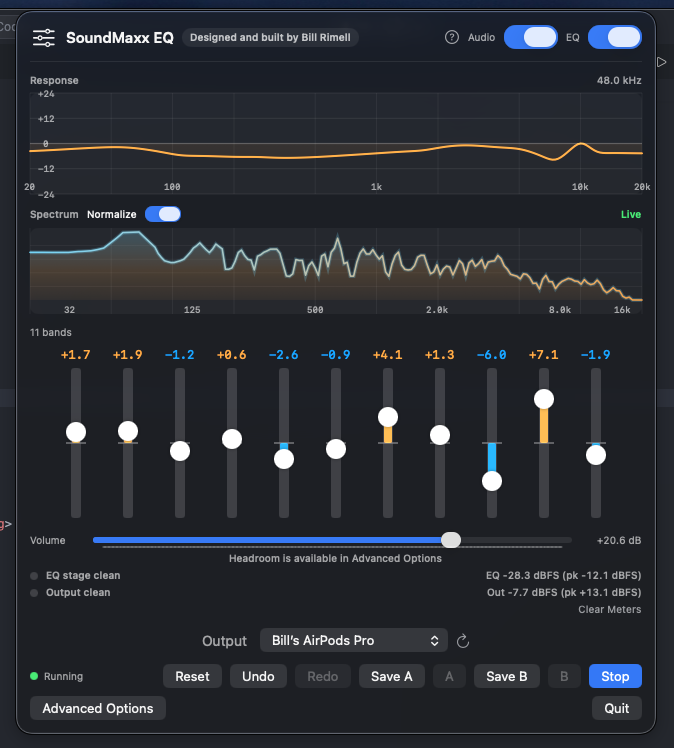
Start with 10 bands, then add or remove bands in Advanced Options for deeper tuning workflows.
System-Wide Audio on macOS
A free, open-source parametric EQ for macOS with frequency/Q control, live response and spectrum views, and profile-aware routing.
A lightweight SoundSource alternative for people who want precision without subscription lock-in.


Start with 10 bands, then add or remove bands in Advanced Options for deeper tuning workflows.
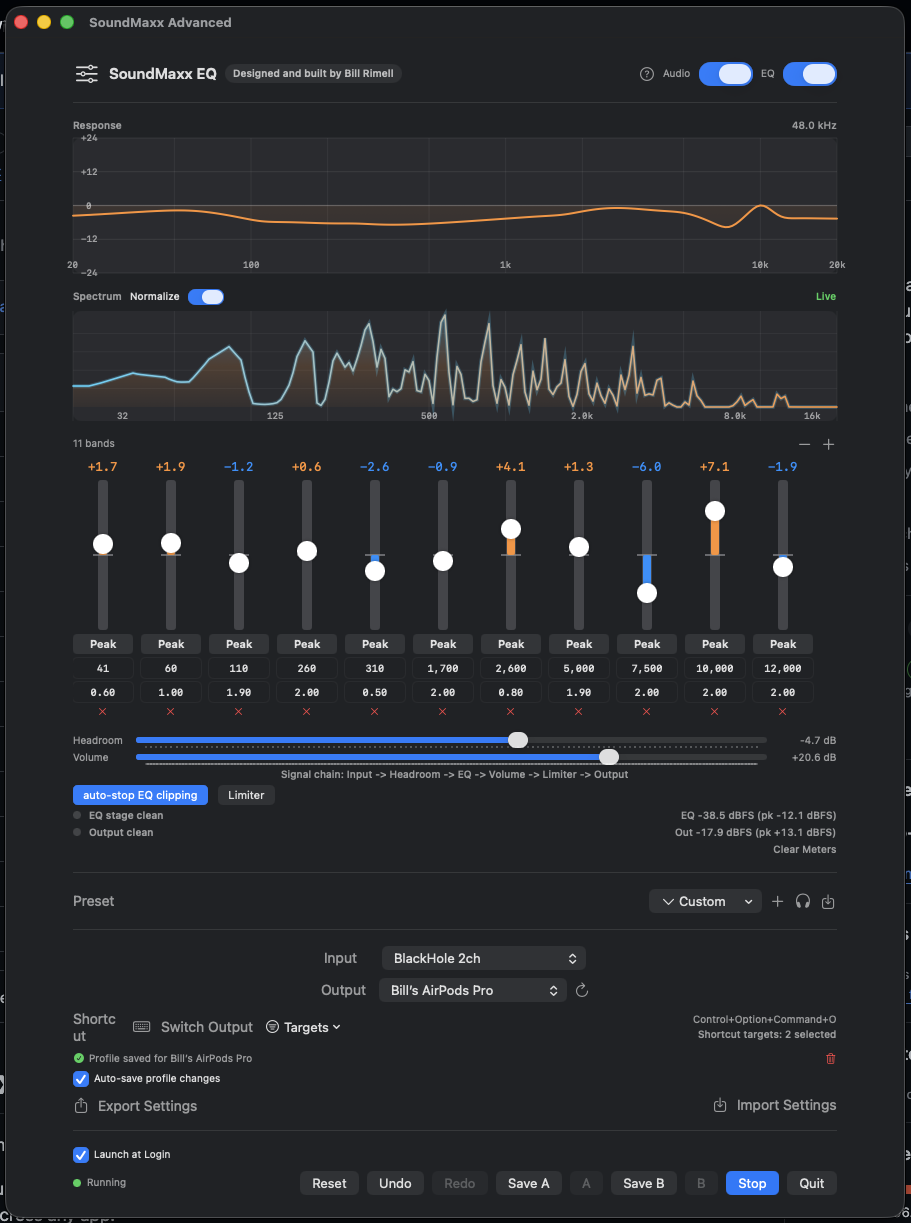
Peak, shelf, pass, notch, and band-pass modes are available for each band in the main UI.
See computed EQ response and live post-EQ spectrum activity while you tune, without extra plugins.
Toggle full audio processing or EQ filters only for quick A/B checks that preserve gain staging.
Save once per output device, then auto-restore and auto-save as you switch hardware.
Separate preamp and output gain with a limiter stage and split clip meters for confidence.
Optional safety mode automatically trims headroom when the EQ stage clips during aggressive boosts.
Software volume for HDMI and DisplayPort outputs where macOS disables hardware control.
Browse AutoEQ in-app or import ParametricEQ/GraphicEQ text files directly for fast headphone correction.
Use Control+Option+Command+O to switch outputs, and choose exactly which devices are in the cycle list.
Tune I/O buffer size, ring buffer capacity, and target queue depth to balance audio latency against stability on your specific hardware.
Full undo/redo history for EQ changes, plus two compare snapshot slots to instantly flip between different tunings.
Export all settings, custom presets, and device profiles to a JSON file and import them on any machine.
SoundMaxx uses a three-stage buffering pipeline. Tune it to match your hardware.
Controls how often audio is processed per hardware callback. Lower values reduce latency but increase CPU load. 256 frames is a good starting point for most systems.
Total internal buffer space as a multiple of the I/O buffer. Higher values absorb timing differences between input and output and prevent dropouts when devices drift.
Keeps the ring buffer near a set depth by trimming older frames. Lower values mean more aggressive trimming — less latency but higher dropout risk.
| Profile | I/O Buffer | Ring Capacity | Target Queue |
|---|---|---|---|
| Balanced (default) | 256 frames | 4× | 2× |
| Low Latency | 64–128 frames | 2–4× | 1–2× |
| Maximum Stability | 512–1024 frames | 6–8× | 3–4× |
HDMI and Bluetooth outputs usually need higher buffer values. Changing any setting briefly restarts the audio engine.
| Feature | SoundMaxx | SoundSource | eqMac |
|---|---|---|---|
| Price | Free | $39 | Free / $34 Pro |
| 10-band parametric control | Yes | Yes | Yes |
| Auto profile restore + save | Yes | Limited | Limited |
| AutoEQ headphone import | Yes (150+) | No | Yes |
| HDMI software volume | Yes | Yes | Yes |
| Open-source codebase | Yes | No | Yes |
Get system-wide EQ running in under two minutes.
1
Install the virtual audio driver used for safe system-wide routing.
2
Grab the latest DMG from GitHub Releases and move it to Applications.
3
Choose BlackHole 2ch in macOS Sound settings so all apps route through it.
4
In SoundMaxx, pick your speakers or headphones and click Start.
brew install blackhole-2ch